For international students in Canada
All your work hours, in one place.
Record every shift, plan the week ahead and see how many hours you have left under the 24-hour off-campus limit. Free, private, in English and French.
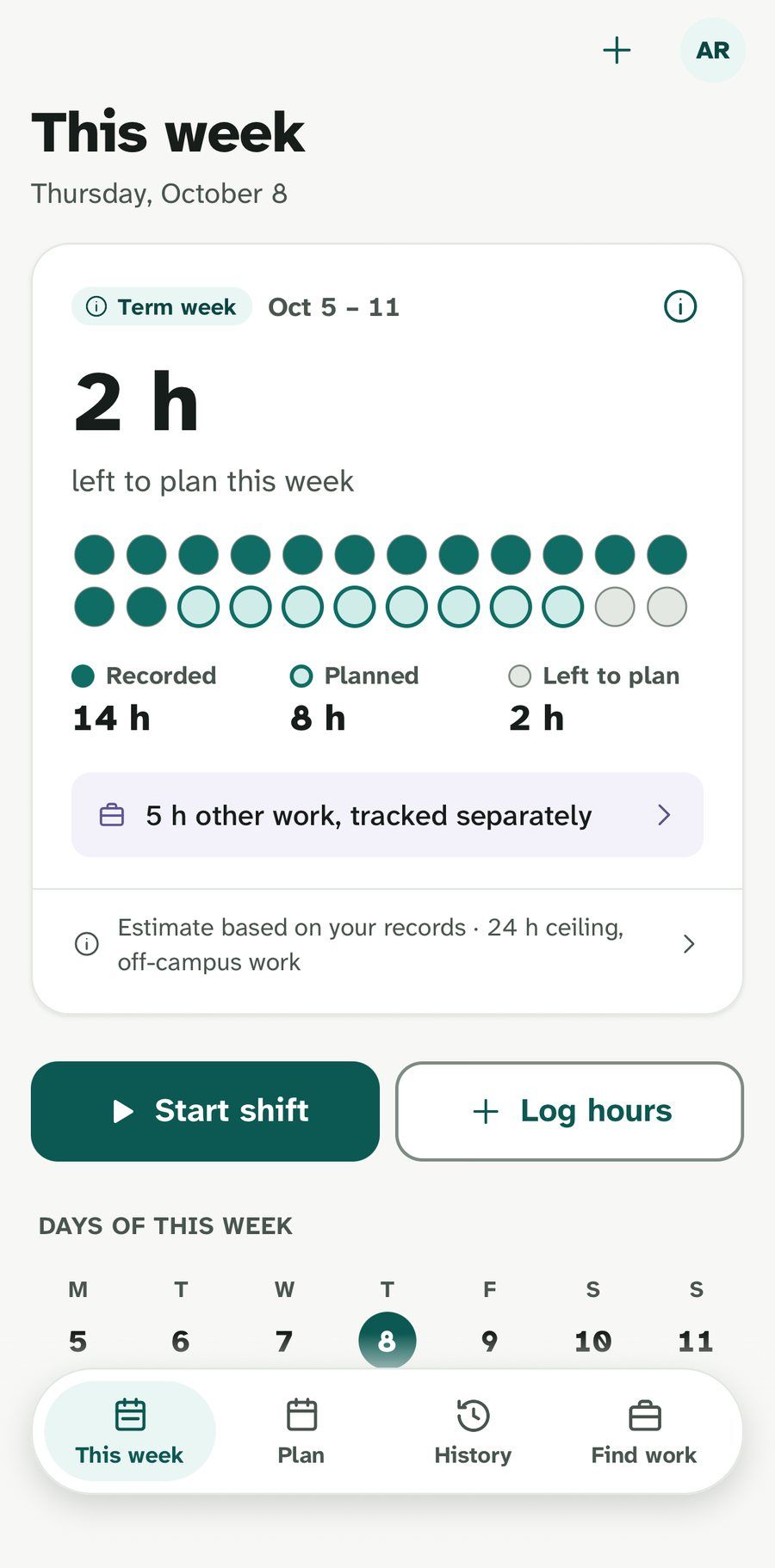
Every job, one week
Off-campus jobs count toward the limit. On-campus, remote-abroad and placement hours are kept separately.
Your school calendar built in
Scheduled breaks are recognized, so the weekly limit only shows when it applies.
Private by design
No study permit, UCI, SIN or bank details. Ever.
Read your week at a glance
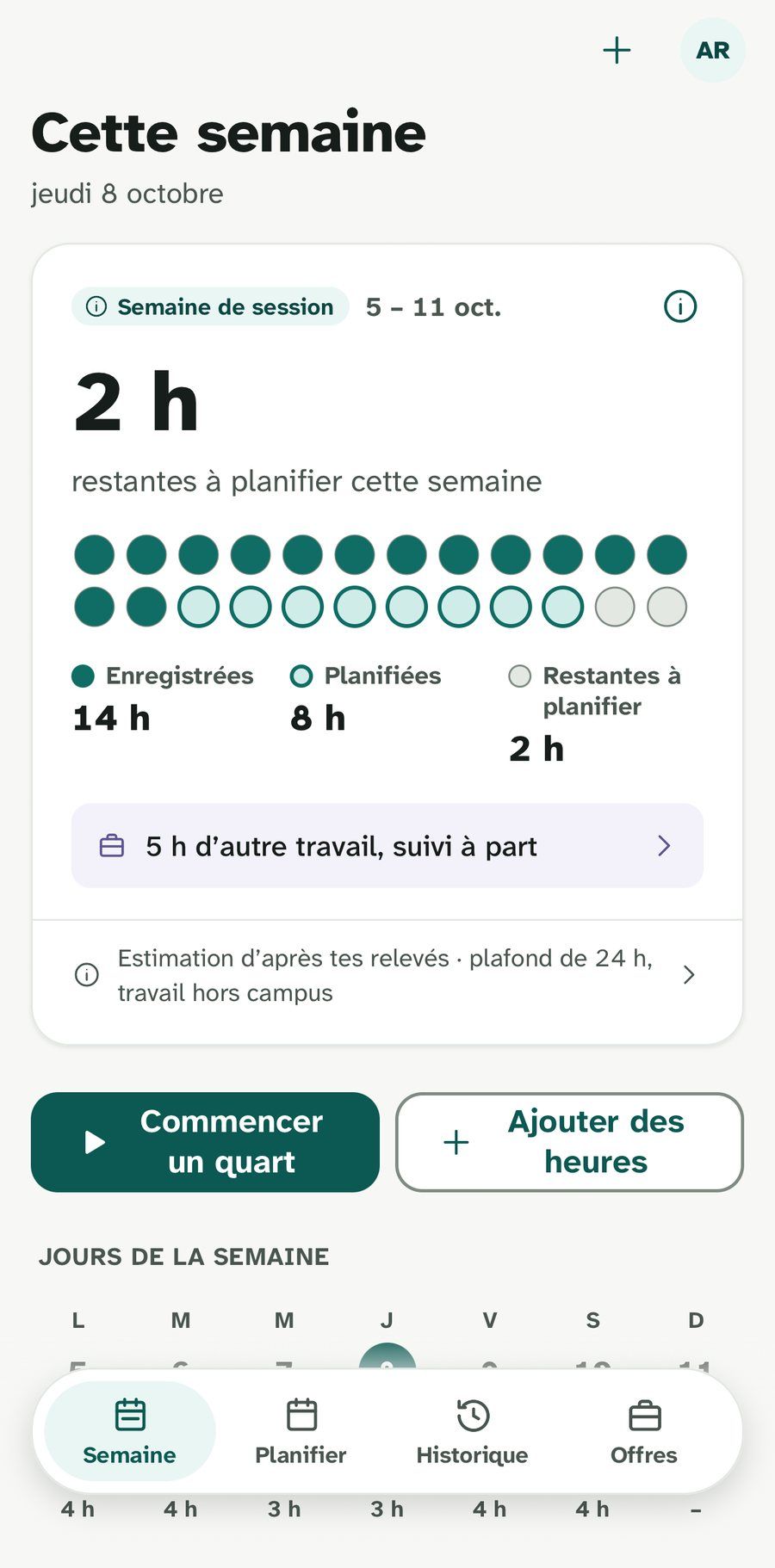
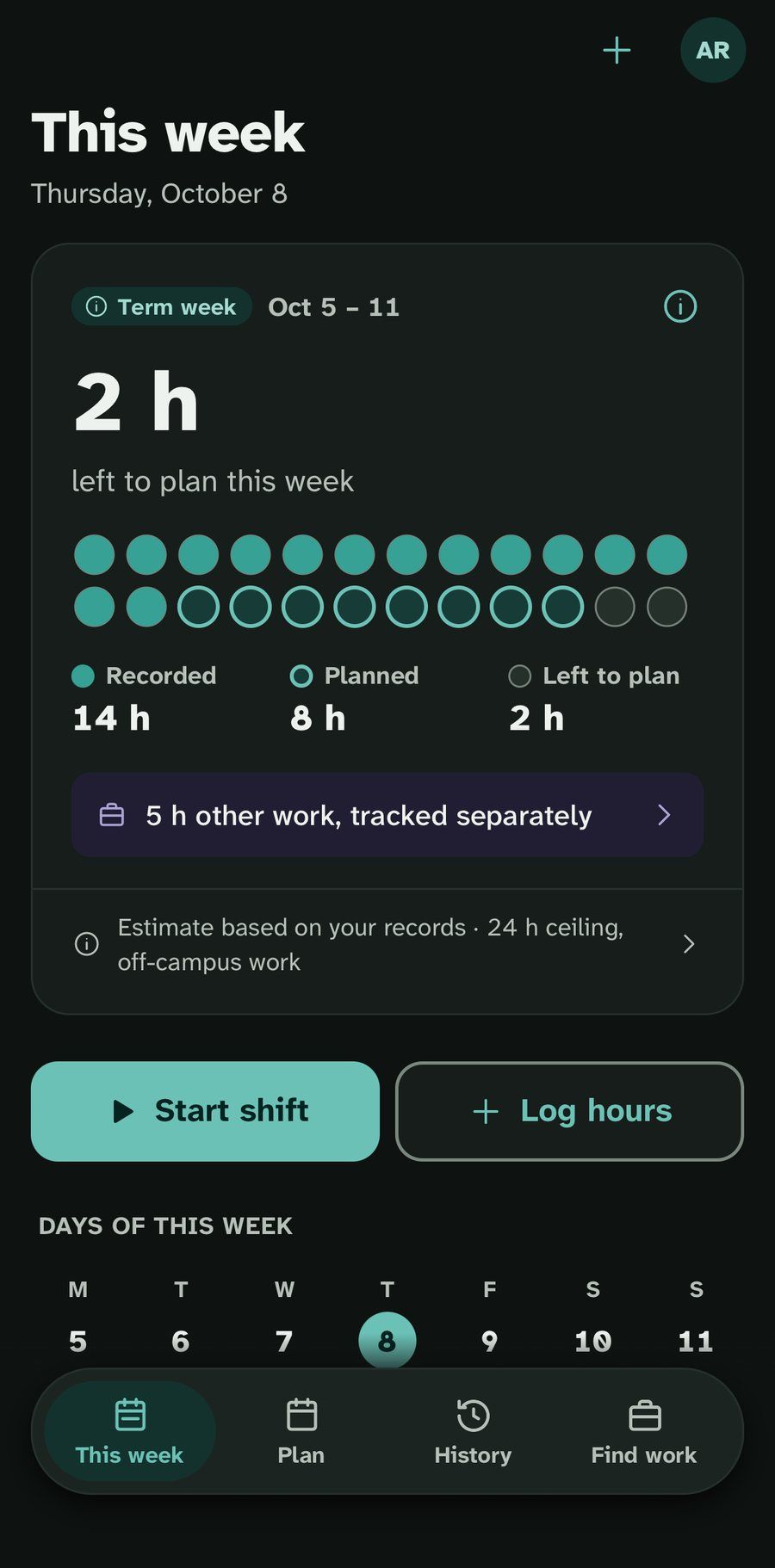
One pip for every hour of your week.
Hours you recorded fill in. Shifts you planned are outlined. What’s left stays open. If a week goes over, Hourpip shows it plainly and never changes your hours.
An estimate based on your records, not an official decision.
- 14 h recordedShifts you worked and saved
- 8 h plannedShifts still ahead this week
- 2 h leftStill open under 24 h
- Over the limitShown as it is, never hidden
How it works
Record, plan, review. That’s the whole routine.
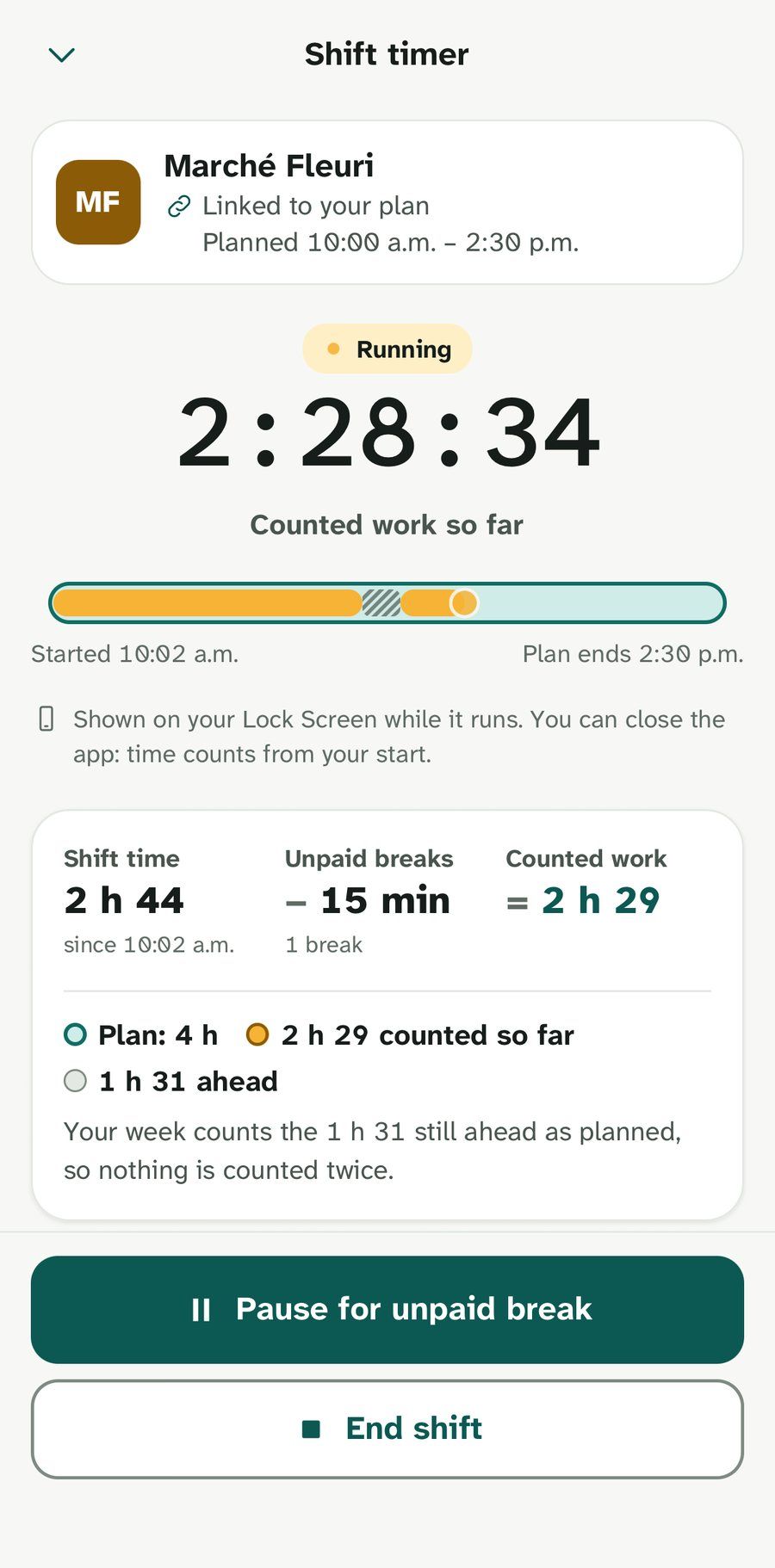
Record every shift
Start a timer when you clock in, pause for unpaid breaks, save when you’re done. Or log hours by hand afterwards.
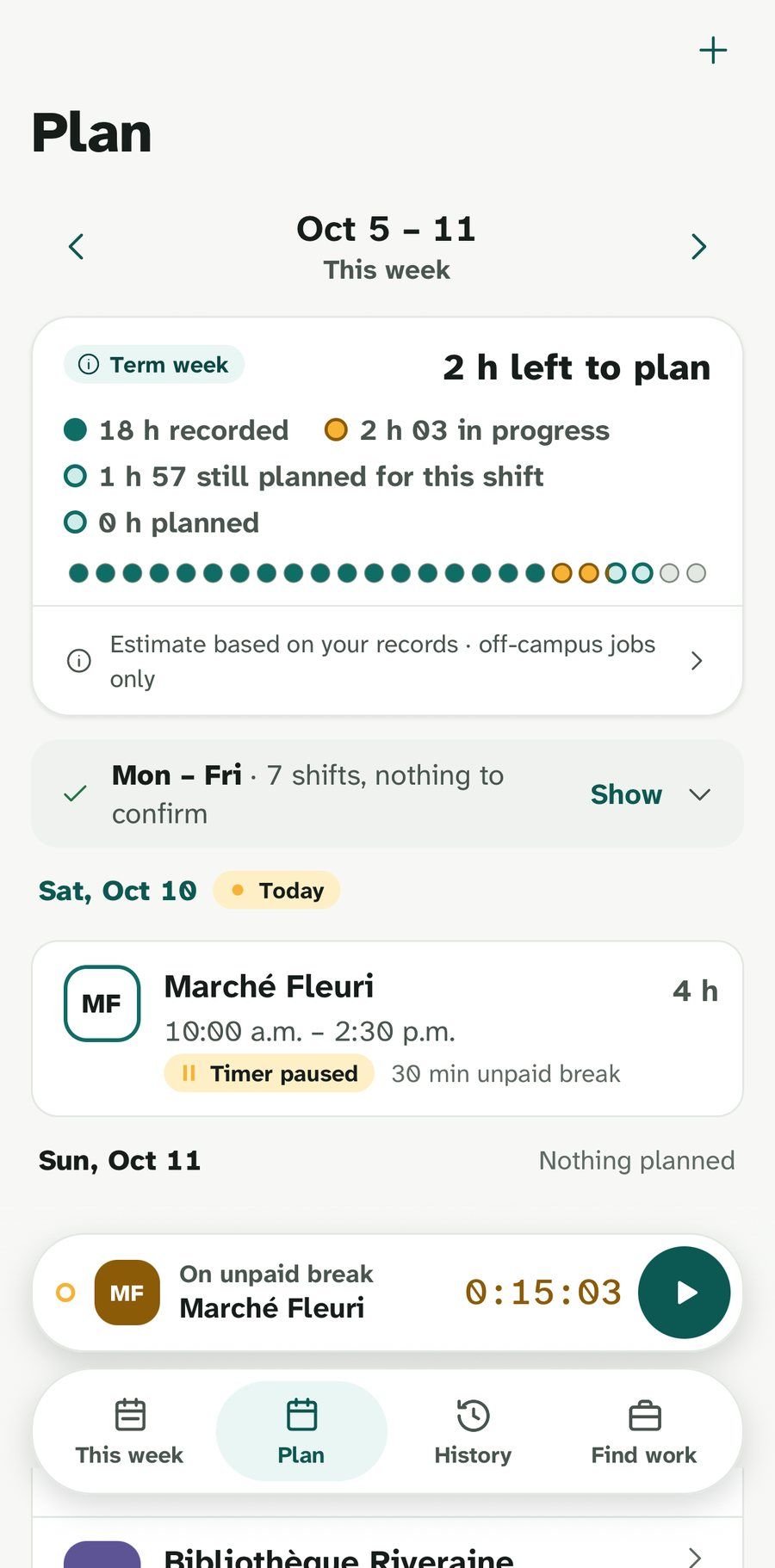
Plan the week ahead
Add repeating schedules or one-off shifts. Planned hours count until you confirm them, so there are no surprises.
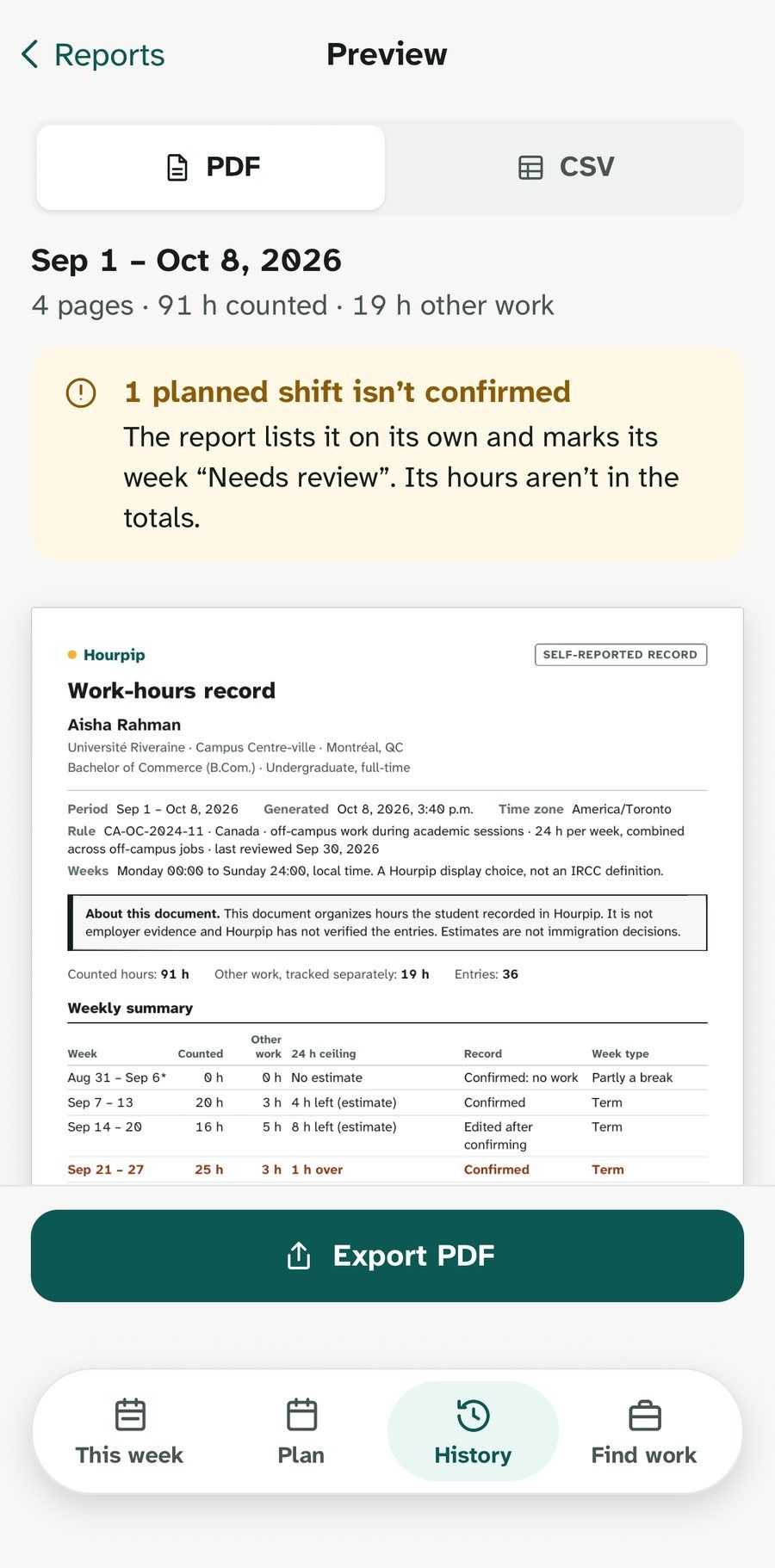
Review and export
Confirm each week when it’s complete. Export a PDF or CSV of your own records whenever you need it.
Made for real student schedules
Three jobs, two campuses, one clear number.
Built with international students who juggle cafés, deliveries and library shifts between classes.
Shift timer
Start, pause for unpaid breaks, save. It keeps time even if you close the app.
Repeating schedules
Set your weekly shifts once. Change one day or everything after it.
Scheduled breaks
Reading weeks and holidays come from your school calendar, or add your own dates.
Gentle reminders
A nudge if a timer is still running or a shift needs confirming. Quiet hours respected.
PDF and CSV reports
A clean record of your weeks, made on your phone, ready to share when you choose.
Works offline
Saved on your phone first, synced across your devices when you’re back online.
English · Français
Written for you, in your language.
Every screen is written in English and in Québec French, not translated at the end. Switch anytime. Dark mode included for late shifts.
- « 2 h restantes à planifier »
- 15 h 40
Private by design
Your hours are yours.
Hourpip keeps only what it needs to show your week. Nobody else sees your hours: not your employers, not your school, not Hourpip’s partners.
Hourpip shows estimates based on your own records. It isn’t affiliated with IRCC and doesn’t make immigration decisions.
What Hourpip keeps
- Your email
- Your school and program
- Your jobs and the hours you enter
What it never asks for
Study permitUCISINBank details
Find work · Across Canada
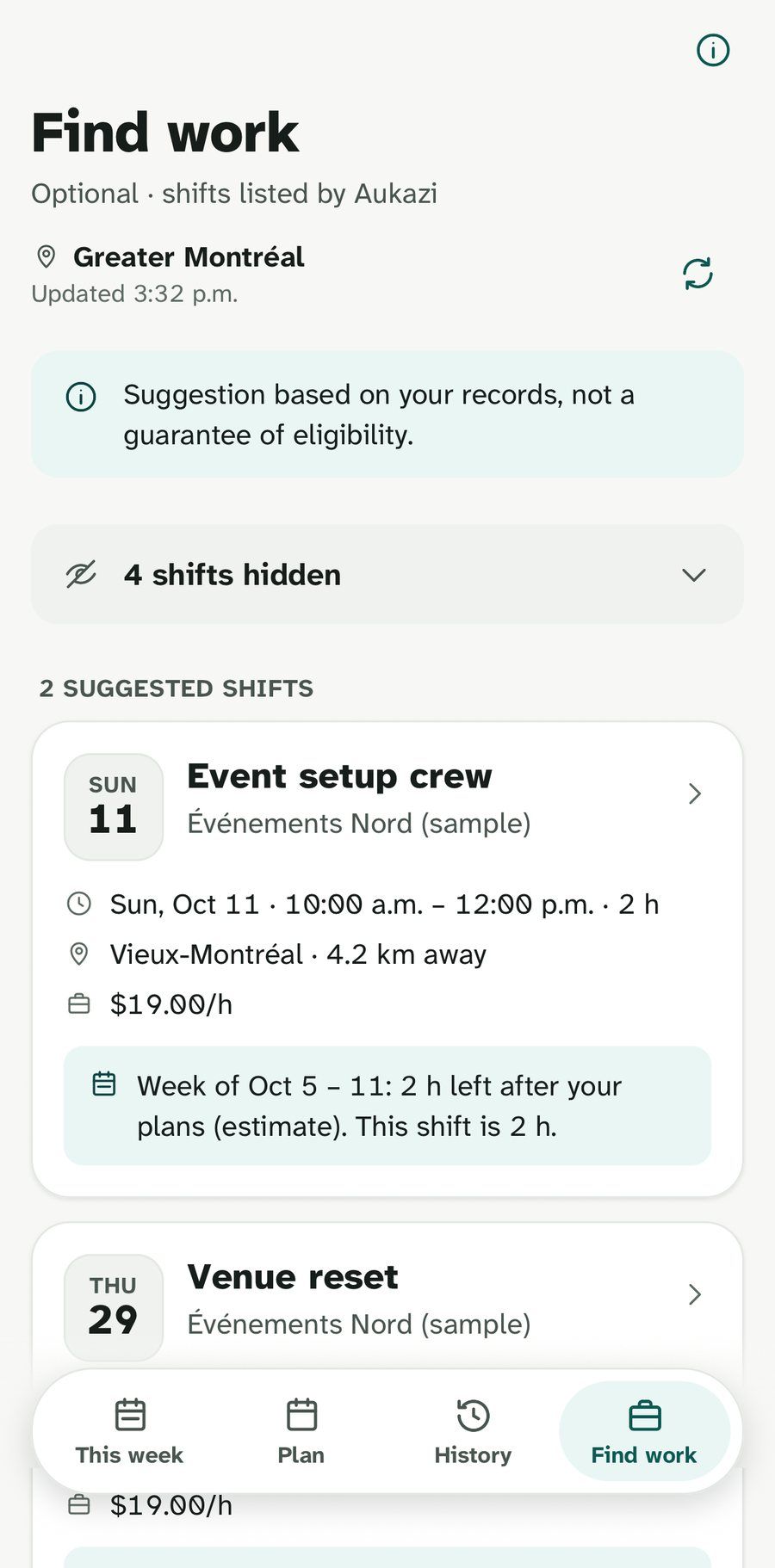
Find shifts that fit the hours you have left.
The Find work tab suggests shifts from Aukazi near you, across Canada, that fit your week, your plans and your school breaks. It’s optional: hide it in Settings anytime.
The fit is worked out on your phone. When you open a shift, only its reference goes to Aukazi. Your hours never leave Hourpip.
Is Hourpip official or connected to IRCC?
No. Hourpip is an independent app. It shows an estimate based on the hours you record, and links to IRCC’s own guidance so you can check the rules yourself.
Is it free?
Yes. Hourpip is free for international students, on iPhone and Android.
What counts toward the 24 hours?
Off-campus work during your academic sessions. On-campus work, remote work for an employer outside Canada and required placements are tracked separately. During scheduled breaks there is no weekly estimate.
Does it work without a connection?
Yes. Everything you record is saved on your phone first and syncs when you’re back online.
Can I use it in French?
Oui. Every screen is written in English and in Québec French, and you can switch at any time.
Who can see my hours?
Only you. Hourpip never shares your hours with employers, your school or partners, and never asks for your study permit, UCI, SIN or bank details.
Contact
Questions, ideas or a problem?
Write to us. A person on the Hourpip team reads every message.
Prefer email? Write to contact@hourpip.com.
Message sent. Thanks for writing. We’ll answer at the email you gave us.
Couldn’t send. Email us at contact@hourpip.com.
Message sent.
Thanks for writing. We’ll answer at the email you gave us.

Start every week with a clear number.
Hourpip is free for international students in Canada, on iPhone and Android.